|
전자부품 데이터시트 검색엔진 |
|
|
전자부품 데이터시트 검색엔진 |
|
UC-R55 데이터시트(PDF) 3 Page - Banner Engineering Corp. |
|
|
|||||||||||||||||||||||||||||
UC-R55 데이터시트(HTML) 3 Page - Banner Engineering Corp. |
|
|
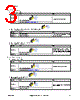
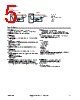
3 / 8 page  Static TEACH Procedure 1. Enter Static TEACH mode. Method Action Result Push Button Press the Mode select button. The sensor enters Static TEACH mode. Remote Input Select Static Mode; see Remote Configuration Flowchart 2. Align the light spot to the output ON condition. "Mark Operate" is shown. 3. TEACH the output ON condition. Method Action Result Push Button Press the TEACH button. The Output and Emitter LEDs flash at 2 Hz to indicate that a TEACH is in progress. Remote Input Single-pulse the remote input. 4. Align the light spot to the output OFF condition. 5. TEACH the output OFF condition. Method Action Result Push Button Press the TEACH push-button. Sensor evaluates contrast and returns to normal operation. If inadequate contrast, the Output and Emitter LED flash rate will increase to 4Hz to indicate that the TEACH failed. Repeat TEACH starting at Step 2. Remote Input Single-pulse the remote input. Dynamic TEACH Procedure 1. Enter Dynamic TEACH mode. Method Action Result Push Button Pressing Mode select push-button. The sensors enters Dynamic TEACH mode. Remote Input Select Dynamic Mode; see Remote Configuration Flowchart 2. Align sensor to either mark or background. 3. Start the dynamic sampling. Method Action Result Push Button Press the TEACH push-button. The Output LED flashes at 2 Hz to indicate a Dynamic TEACH is in progress. Remote Input Single-pulse the remote line. R58B Registration Mark Sensor P/N 156477 Rev. B www.bannerengineering.com - Tel: +1-763-544-3164 3 |
|
|
링크 URL |
| ALLDATASHEET 가 귀하에 도움이 되셨나요? [ DONATE ] |
Alldatasheet는? | 광고문의 | 운영자에게 연락하기 | 개인정보취급방침 | 링크 투 데이터시트 | 링크교환 | 제조사별 검색 All Rights Reserved©Alldatasheet.com |
| Russian : Alldatasheetru.com | Korean : Alldatasheet.co.kr | Spanish : Alldatasheet.es | French : Alldatasheet.fr | Italian : Alldatasheetit.com Portuguese : Alldatasheetpt.com | Polish : Alldatasheet.pl | Vietnamese : Alldatasheet.vn Indian : Alldatasheet.in | Mexican : Alldatasheet.com.mx | British : Alldatasheet.co.uk | New Zealand : Alldatasheet.co.nz |
|
Family Site : ic2ic.com |
icmetro.com |
 Korean ▼
 English
 Chinese
 German
 Japanese
 Russian
 Korean
 Spanish
 French
 Italian
 Portuguese
 Polish
 Vietnamese
 Indian
 Mexican
 British
 New Zealand