|
전자부품 데이터시트 검색엔진 |
|
|
전자부품 데이터시트 검색엔진 |
|
SMBPV..C 데이터시트(PDF) 4 Page - Banner Engineering Corp. |
|
|
|||||||||||||||||||||||||||||
SMBPV..C 데이터시트(HTML) 4 Page - Banner Engineering Corp. |
|
|
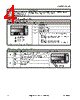
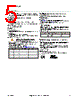
4 / 8 page  Cover Removal Cover Replacement Insert a fingernail or small screwdriver into the slot; apply gentle pressure, angling away from the sensor lens. The cover will remain tethered to the sensor housing. To replace the switch cover, align one edge of the cover with the edge of the sensor housing opening. Then press the front corners into place. The switches determine four status operating modes: PVD Configuration DIP Switch Settings The factory default setting is ON for all switches Switch Condition 1 2 3 4 O F F O N ON OFF Example Shown: Switch #1 OFF Switch #2 ON Switch #3 OFF Switch #4 ON Figure 6. Configuration DIP switch setting positions 1 ON = PNP output OFF = NPN output 2 ON = Normally Open OFF = Normally Closed 3 ON = Job light steady OFF = Job light flashes 4 Job light control input: Connect the white wire as follows: PNP Output ON = Job light ON for +10 to 30V dc (29kΩ input impedance) OFF = Job light ON for 0 to 1.5V dc/open circuit NPN Output ON = Job light ON for +10 to 30V dc/open circuit OFF = Job light ON for 0 to 1.5V dc (10kΩ input impedance) Status Indicators/Troubleshooting Indicator Condition Description Status Indicators #1 Steady Yellow Output is active (Changing Switch #2 to N.C. turns the yellow indicator ON when the system is clear) MODE Status Indicator #1 Status Indicator #2 OFF Output is inactive (Changing Switch #2 to N.O. turns the yellow indicator ON when the system is blocked) #2 Steady Green Power is ON and system is OK Flashing Green Blanking is enabled OFF Power is OFF PVD Series Parts Verification Sensor 4 www.bannerengineering.com - Tel: +1-763-544-3164 P/N 113230 Rev. G |
|
|
링크 URL |
| ALLDATASHEET 가 귀하에 도움이 되셨나요? [ DONATE ] |
Alldatasheet는? | 광고문의 | 운영자에게 연락하기 | 개인정보취급방침 | 링크 투 데이터시트 | 링크교환 | 제조사별 검색 All Rights Reserved©Alldatasheet.com |
| Russian : Alldatasheetru.com | Korean : Alldatasheet.co.kr | Spanish : Alldatasheet.es | French : Alldatasheet.fr | Italian : Alldatasheetit.com Portuguese : Alldatasheetpt.com | Polish : Alldatasheet.pl | Vietnamese : Alldatasheet.vn Indian : Alldatasheet.in | Mexican : Alldatasheet.com.mx | British : Alldatasheet.co.uk | New Zealand : Alldatasheet.co.nz |
|
Family Site : ic2ic.com |
icmetro.com |
 Korean ▼
 English
 Chinese
 German
 Japanese
 Russian
 Korean
 Spanish
 French
 Italian
 Portuguese
 Polish
 Vietnamese
 Indian
 Mexican
 British
 New Zealand