|
전자부품 데이터시트 검색엔진 |
|
|
전자부품 데이터시트 검색엔진 |
|
DCS-7316XFM-R 데이터시트(PDF) 17 Page - Arista Networks, Inc |
|
|
|||||||||||||||||||||||||||||
DCS-7316XFM-R 데이터시트(HTML) 17 Page - Arista Networks, Inc |
|
|
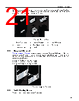
17 / 66 page  Chapter 3 Rack Mounting the Switch Important: The rack mounting procedure is identical for all modular switches. Illustrations in this chapter depict the mounting of an unpopulated DCS-7304 chassis. Les procédure de montage du bâti est identique pour tous les commutateurs modulaires. Illustrations dans ce chapitre montrent le montage d’un châssis de DCS-7304 inhabité. • Two-Post Rack Mount provides instructions for mounting the switch in a two-post rack. • Four-Post Rack Mount provides instructions for mounting the switch in a four-post rack. After completing the instructions for your rack type, proceed to Powering the Modular Switch . 3.1 Two-Post Rack Mount To mount the switch to a two-post rack, assemble mounting brackets to the middle of the chassis, then attach the brackets to the rack. Important: Two-post rack mount parts are only available through your sales representative. Two-post rack mounting is not supported for DCS-7316 switches. Pièces de montage rack à deux montants sont uniquement disponibles par l’intermédiaire de votre représentant des ventes. Montage en rack de deux-poteau n’est pas supporté pour les commutateurs DCS-7316. The accessory kit includes the following two-post mounting parts: • 2 center-mount brackets. • 16 (DCS-7304) or 20 (DCS-7308) M4x8 panhead Phillips screws. 3.1.1 Attaching Mounting Brackets to the Chassis 1. Orient the switch chassis and the two center-mount brackets (Figure 2: Attaching the Center-mount Brackets). Figure 2: Attaching the Center-mount Brackets Position the flanges that attach to the rack posts toward the front of the chassis. 13 |
|
링크 URL |
| ALLDATASHEET 가 귀하에 도움이 되셨나요? [ DONATE ] |
Alldatasheet는? | 광고문의 | 운영자에게 연락하기 | 개인정보취급방침 | 링크 투 데이터시트 | 링크교환 | 제조사별 검색 All Rights Reserved©Alldatasheet.com |
| Russian : Alldatasheetru.com | Korean : Alldatasheet.co.kr | Spanish : Alldatasheet.es | French : Alldatasheet.fr | Italian : Alldatasheetit.com Portuguese : Alldatasheetpt.com | Polish : Alldatasheet.pl | Vietnamese : Alldatasheet.vn Indian : Alldatasheet.in | Mexican : Alldatasheet.com.mx | British : Alldatasheet.co.uk | New Zealand : Alldatasheet.co.nz |
|
Family Site : ic2ic.com |
icmetro.com |
 Korean ▼
 English
 Chinese
 German
 Japanese
 Russian
 Korean
 Spanish
 French
 Italian
 Portuguese
 Polish
 Vietnamese
 Indian
 Mexican
 British
 New Zealand