|
전자부품 데이터시트 검색엔진 |
|
|
전자부품 데이터시트 검색엔진 |
|
MUL1-R1 데이터시트(PDF) 14 Page - ABB |
|
|
|||||||||||||||||||||||||||||
MUL1-R1 데이터시트(HTML) 14 Page - ABB |
|
|
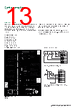
14 / 28 page  14 ABB general purpose drives ACS310 | Catalog Control program example One of the ACS310’s integrated pump and fan features is soft pump and fan control (SPFC), which is used for pump and fan alternation applications where lower pressure peaks are desirable when a new auxiliary motor is connected on-line.The following example explains how ACS310 can operate up to 4 to 5 pumps or fans in parallel based on the capacity demand. In this example, we use three parallel pumps to maintain the water pressure in the pipelines. The drive controls the motor of pump 1, varying the motor speed to control the pump capacity. This motor is the speed regulated motor. When the demand exceeds that of the first motor’s, the drive automaticly starts an auxiliary pump. The speed of the first pump is adjusted so that the actual value follows the process reference. Parameter settings Before starting the configuration, ensure that the drive has been installed properly and that the electrical connections are complete. Connection example can be found from ACS310 User’s manual. Startup data The correct motor parameters are set within parameter group 99. Then select SPFC control macro using parameter 9902. This software macro updates the defined list of parameter values to their default values. Pump and fan control parameters Parameters can be found in parameter group 81. First change Short menu to to Long from parameter 1611 in group 16. This shows the full parameter group list including group 81. Frequency limits to start and stop auxiliary motors Parameter 8109 START FREQ 1 is set to 50 Hz, which is also the default value. Since we have in this example also another auxiliary motor, parameter 8110 START FREQ 2 is set to 50 Hz for the second auxiliary motor. To stop an axiliary motor we set parameters 8112 LOW FREQ 1 and 8113 LOW FREQ 2 to 25 Hz. |
|
|
링크 URL |
| ALLDATASHEET 가 귀하에 도움이 되셨나요? [ DONATE ] |
Alldatasheet는? | 광고문의 | 운영자에게 연락하기 | 개인정보취급방침 | 링크 투 데이터시트 | 링크교환 | 제조사별 검색 All Rights Reserved©Alldatasheet.com |
| Russian : Alldatasheetru.com | Korean : Alldatasheet.co.kr | Spanish : Alldatasheet.es | French : Alldatasheet.fr | Italian : Alldatasheetit.com Portuguese : Alldatasheetpt.com | Polish : Alldatasheet.pl | Vietnamese : Alldatasheet.vn Indian : Alldatasheet.in | Mexican : Alldatasheet.com.mx | British : Alldatasheet.co.uk | New Zealand : Alldatasheet.co.nz |
|
Family Site : ic2ic.com |
icmetro.com |
 Korean ▼
 English
 Chinese
 German
 Japanese
 Russian
 Korean
 Spanish
 French
 Italian
 Portuguese
 Polish
 Vietnamese
 Indian
 Mexican
 British
 New Zealand