|
전자부품 데이터시트 검색엔진 |
|
|
전자부품 데이터시트 검색엔진 |
|
M35046-059FP 데이터시트(PDF) 15 Page - Mitsubishi Electric Semiconductor |
|
|
|||||||||||||||||||||||||||||
M35046-059FP 데이터시트(HTML) 15 Page - Mitsubishi Electric Semiconductor |
|
|
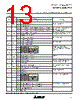
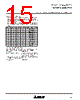
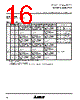
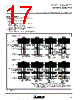
15 / 40 page  MITSUBISHI MICROCOMPUTERS M35046-XXXSP/FP SCREEN CHARACTER and PATTERN DISPLAY CONTROLLERS 15 (2) Setting display frequencies Set a display frequency by setting a frequency value for the hori- zontal synchronization signal by use of DIV10 to DIV0 (12016). Set display frequency area in conformity with the frequency of the external clock signal. Set display frequency area by use of DIVS0, DIVS1 (12016), RSEL0 (12116), and RSEL1 (12216). Frequency area are as fol- lows. RSEL1 RSEL0 DIVS1 DIVS0 Display frequency area 0 1 0 0 70.0 to 80.0 0 0 0 0 63.0 to 70.0 1 0 0 1 56.6 to 63.0 0 1 0 1 46.6 to 56.6 0 0 0 1 45.0 to 46.6 1 0 1 0 42.5 to 45.0 0 1 1 0 35.0 to 42.5 0 0 1 0 31.5 to 35.0 1 0 1 1 28.3 to 31.5 0 1 1 1 23.3 to 28.3 0 0 1 1 20.0 to 23.3 Cautions in setting a display frequency To change the external clock frequency or the horizontal synchroni- zation frequency, follow the steps in sequence given below. (a) Display OFF (DSPON = 0) (b) Set the display frequency (Use DIV10 to DIV0 (12016), DIVS0, DIVS1 (12016), RSEL0 (12116), and RSEL1 (12216).) (c) 20-ms waiting time with the horizontal synchronization signal and the external clock signal being input (d) Display ON (DSPON = 1) |
|
링크 URL |
| ALLDATASHEET 가 귀하에 도움이 되셨나요? [ DONATE ] |
Alldatasheet는? | 광고문의 | 운영자에게 연락하기 | 개인정보취급방침 | 링크 투 데이터시트 | 링크교환 | 제조사별 검색 All Rights Reserved©Alldatasheet.com |
| Russian : Alldatasheetru.com | Korean : Alldatasheet.co.kr | Spanish : Alldatasheet.es | French : Alldatasheet.fr | Italian : Alldatasheetit.com Portuguese : Alldatasheetpt.com | Polish : Alldatasheet.pl | Vietnamese : Alldatasheet.vn Indian : Alldatasheet.in | Mexican : Alldatasheet.com.mx | British : Alldatasheet.co.uk | New Zealand : Alldatasheet.co.nz |
|
Family Site : ic2ic.com |
icmetro.com |
 Korean ▼
 English
 Chinese
 German
 Japanese
 Russian
 Korean
 Spanish
 French
 Italian
 Portuguese
 Polish
 Vietnamese
 Indian
 Mexican
 British
 New Zealand