|
전자부품 데이터시트 검색엔진 |
|
|
전자부품 데이터시트 검색엔진 |
|
MAX7300AGL 데이터시트(PDF) 8 Page - Maxim Integrated Products |
|
|
|||||||||||||||||||||||||||||
MAX7300AGL 데이터시트(HTML) 8 Page - Maxim Integrated Products |
|
|
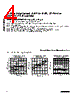
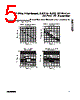
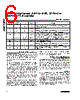
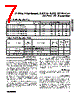
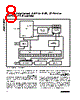
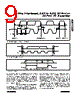
8 / 22 page  2-Wire-Interfaced, 2.5V to 5.5V, 20-Port or 28-Port I/O Expander 8 _______________________________________________________________________________________ MAX7300 is the recipient. When the MAX7300 is trans- mitting to the master, the master generates the acknowledge bit since the master is the recipient. Slave Address The MAX7300 has a 7-bit-long slave address (Figure 6). The eighth bit following the 7-bit slave address is the R/ W bit. It is low for a write command and high for a read command. The first 3 bits (MSBs) of the MAX7300 slave address are always 100. Slave address bits A3, A2, A1, and A0 are selected by the address inputs, AD1 and AD0. These two input pins can be connected to GND, V+, SDA, or SCL. The MAX7300 has 16 possible slave addresses (Table 3), and therefore a maximum of 16 MAX7300 devices can share the same interface. Message Format for Writing the MAX7300 A write to the MAX7300 comprises the transmission of the MAX7300’s slave address with the R/ W bit set to zero, followed by at least 1 byte of information. The first byte of information is the command byte. The com- mand byte determines which register of the MAX7300 is to be written by the next byte, if received. If a STOP condition is detected after the command byte is received, then the MAX7300 takes no further action (Figure 7) beyond storing the command byte. SLAVE ADDRESS BYTE D0 D1 D2 D3 D4 D5 D6 D7 D8 D9 D10 D11 D12 D13 D14 D15 R/W 8 8 CE DATA 8 SDA SCL PORT REGISTERS GPIO CONFIGURATION P4 TO P31 ADDRESS MATCHER AD0 AD1 COMMAND BYTE DATA BYTE R/W 7-BIT DEVICE ADDRESS 7 7 TO COMMAND REGISTERS TO/FROM DATA REGISTERS GPIO DATA R/W CONFIGURATION REGISTERS PORT CHANGE DETECTOR MASK REGISTER COMMAND REGISTER DECODE 8 DATA BYTE COMMAND BYTE Figure 1. MAX7300 Functional Diagram |
|
|
링크 URL |
| ALLDATASHEET 가 귀하에 도움이 되셨나요? [ DONATE ] |
Alldatasheet는? | 광고문의 | 운영자에게 연락하기 | 개인정보취급방침 | 링크 투 데이터시트 | 링크교환 | 제조사별 검색 All Rights Reserved©Alldatasheet.com |
| Russian : Alldatasheetru.com | Korean : Alldatasheet.co.kr | Spanish : Alldatasheet.es | French : Alldatasheet.fr | Italian : Alldatasheetit.com Portuguese : Alldatasheetpt.com | Polish : Alldatasheet.pl | Vietnamese : Alldatasheet.vn Indian : Alldatasheet.in | Mexican : Alldatasheet.com.mx | British : Alldatasheet.co.uk | New Zealand : Alldatasheet.co.nz |
|
Family Site : ic2ic.com |
icmetro.com |
 Korean ▼
 English
 Chinese
 German
 Japanese
 Russian
 Korean
 Spanish
 French
 Italian
 Portuguese
 Polish
 Vietnamese
 Indian
 Mexican
 British
 New Zealand