|
전자부품 데이터시트 검색엔진 |
|
|
전자부품 데이터시트 검색엔진 |
|
E5AZ-R3HML 데이터시트(PDF) 52 Page - Omron Electronics LLC |
|
|
|||||||||||||||||||||||||||||
E5AZ-R3HML 데이터시트(HTML) 52 Page - Omron Electronics LLC |
|
|
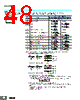
52 / 64 page  E5EZ-PRR 52 Operation/ Adjustment Protect The following table shows the relationship between set values and the range of protection. • Parameters are not protected when the set value is set to 0. • The default is 0. Initial Setting/ Communications Protect This protect level restricts movement to the initial setting level, communications setting level, and advanced function setting level. • The default is 1. Setting Change Protect This protect level restricts key operations. • The default is OFF. Automatic/ Manual Key Protect This protect level restricts key operations. • The default is OFF. Setting Communications Parameters • Each parameter is enabled when the power is reset. • Match the communications specifications of the E5EZ-PRR and the host computer. If multiple devices are connected, ensure that the communications specifications for all devices in the system (except the Communications unit number) are the same. Level Set value 0 1 2 3 Operation level PV Can be displayed Can be displayed Can be displayed Can be displayed PV/SP Can be displayed and changed Can be displayed and changed Can be displayed and changed Can be displayed Others Can be displayed and changed Can be displayed and changed Cannot be displayed and moving to other levels is not possible Cannot be displayed and moving to other levels is not possible Adjustment level Can be displayed and changed Cannot be displayed and moving to other levels is not possible Cannot be displayed and moving to other levels is not possible Cannot be displayed and moving to other levels is not possible Set value Initial setting level Communications setting level Advanced function setting level 0 Movement possible Movement possible Movement possible 1 Movement possible Movement possible Movement not possible 2 Movement not possible Movement not possible Movement not possible Set value Description OFF Settings can be changed using key operations. ON Settings cannot be changed using key operations. (The protect level settings, however, can be changed.) Set value Description OFF Settings can be changed between automatic and manual mode using A key operations. ON Settings cannot be changed between automatic and manual mode using A key operations. (The protect level settings, however, can be changed.) Parameters Symbol Set (monitor) values Settings Default Unit Communications Unit number u-no 0 to 99 1 None Baud rate bps 1.2, 2.4, 4.8, 9.6, 19.2 1.2, 2.4, 4.8, 9.6, 19.2 9.6 Kbps Data length len 7, 8 7 Length Stop bits sbit 1, 2 2 Bit Parity prty None, even, odd none, even, odd Even None oapt 0 icpt 1 wtpt off keyp off Protect level Operation / adjustment protect Initial setting / communications protect Setting change protect Automatic/ manual key protect l.prt l.prt l.prt l.prt u-no 1 len 7 sbit 2 Communications setting level Communications Unit number Baud rate Data length Stop bits Parity bps 96 l.com l.com l.com l.com l.com |
|
링크 URL |
| ALLDATASHEET 가 귀하에 도움이 되셨나요? [ DONATE ] |
Alldatasheet는? | 광고문의 | 운영자에게 연락하기 | 개인정보취급방침 | 링크 투 데이터시트 | 링크교환 | 제조사별 검색 All Rights Reserved©Alldatasheet.com |
| Russian : Alldatasheetru.com | Korean : Alldatasheet.co.kr | Spanish : Alldatasheet.es | French : Alldatasheet.fr | Italian : Alldatasheetit.com Portuguese : Alldatasheetpt.com | Polish : Alldatasheet.pl | Vietnamese : Alldatasheet.vn Indian : Alldatasheet.in | Mexican : Alldatasheet.com.mx | British : Alldatasheet.co.uk | New Zealand : Alldatasheet.co.nz |
|
Family Site : ic2ic.com |
icmetro.com |
 Korean ▼
 English
 Chinese
 German
 Japanese
 Russian
 Korean
 Spanish
 French
 Italian
 Portuguese
 Polish
 Vietnamese
 Indian
 Mexican
 British
 New Zealand