|
전자부품 데이터시트 검색엔진 |
|
|
전자부품 데이터시트 검색엔진 |
|
H7CC-R11WD 데이터시트(PDF) 46 Page - Omron Electronics LLC |
|
|
|||||||||||||||||||||||||||||
H7CC-R11WD 데이터시트(HTML) 46 Page - Omron Electronics LLC |
|
|
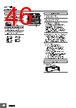
46 / 66 page  H7CC-R @ 46 Nomenclature 1 9 2 3 6 7 8 4 5 10 11 ON (Enable) (Factory setting) OFF (Disable) 10 mm 6 mm 7. Up Keys (UP1 to UP6) 11. Status indicator 9. Hold Operation (UP6+DW6) 8. Down Keys (DW1 to DW6) <When Run mode is not selected.> · When the indicator display mode is ON If "Upper and lower limit" or "Area" is selected in the tachometer output mode, the ratio of the measurement value to the comparison value is displayed from 0 to 100%. · When the indicator display mode is all off or all lit All off or all lit display. Note. When you press the Up Key or the Down Key, the indicator display or all-lit display goes off, and the pressed key lights up or blinks. <When Function Setting Mode is not selected> · The keys that can be set light up for notification. (UP1, 2, 3, 4, 5, 6 from right to left) (DW1, 2, 3, 4, 5, 6 from right to left) (The hold operation is enabled by pressing and holding the keys for 1 second or longer. When the keys are pressed simultaneously, all status indicators start blinking. The hold operation is disabled if the keys are released within 1 second.) To perform the hold operation, firmly press and hold both UP6 and DW6. If you press only UP6 or DW6, the set value will change. 10. Mode Operation (UP1+UP3 or DW1+DW3) (Changes modes and setting items. Press and hold the keys for 2 seconds or longer to move to the function setting mode. When the keys are pressed simultaneously, the status indicators on UP1 (DW1) and UP3 (DW3) start blinking. The mode operation is disabled if the keys are released within 2 seconds.) Operation Keys 12. Key-protect Switch Switches 1. Hold Indicator (yellow) 2. Key Protect Indicator (yellow) 3. Control Output Indicator (yellow) 4. Comparison Value 1, 2 Stage Indicator (1-output models) (2-output models) Lit when the key protect switch is ON. (Lit when hold operation is performed. ) 5. Present Value (Main Display) Character height: 10 mm (white) 6. Comparison Value (Sub-display) Character height: 6 mm (green) Display Section Character Size for Sub-display Character Size for Main Display OUT OUT 1 2 |
|
링크 URL |
| ALLDATASHEET 가 귀하에 도움이 되셨나요? [ DONATE ] |
Alldatasheet는? | 광고문의 | 운영자에게 연락하기 | 개인정보취급방침 | 링크 투 데이터시트 | 링크교환 | 제조사별 검색 All Rights Reserved©Alldatasheet.com |
| Russian : Alldatasheetru.com | Korean : Alldatasheet.co.kr | Spanish : Alldatasheet.es | French : Alldatasheet.fr | Italian : Alldatasheetit.com Portuguese : Alldatasheetpt.com | Polish : Alldatasheet.pl | Vietnamese : Alldatasheet.vn Indian : Alldatasheet.in | Mexican : Alldatasheet.com.mx | British : Alldatasheet.co.uk | New Zealand : Alldatasheet.co.nz |
|
Family Site : ic2ic.com |
icmetro.com |
 Korean ▼
 English
 Chinese
 German
 Japanese
 Russian
 Korean
 Spanish
 French
 Italian
 Portuguese
 Polish
 Vietnamese
 Indian
 Mexican
 British
 New Zealand