|
전자부품 데이터시트 검색엔진 |
|
|
전자부품 데이터시트 검색엔진 |
|
E39-R1 데이터시트(PDF) 35 Page - Omron Electronics LLC |
|
|
|||||||||||||||||||||||||||||
E39-R1 데이터시트(HTML) 35 Page - Omron Electronics LLC |
|
|
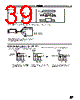
35 / 64 page  E3X E3X 35 Sensitivity Adjustment E3X-T jj 1. Locate the sensor head in the sensing range of the E3X. 2. Set the mode selector to TUNING. 3. Locate the object at the sensing position and press the tuning button. Through-beam Model Reflective Model Reflective Model The tuning indicator (red) is lit. The built-in buzzer beeps once. Light is not received. Mark Base 4. Move the object and press the tuning button. Through-beam Model Reflective Model Reflective Model If tuning is OK: The tuning indicator turns green. The built-in buzzer beeps once. If tuning is NG: The tuning indicator (red) is still lit. The built-in buzzer beeps 3 times. Change the position of the object and the sensing distance that have been set and repeat from the beginning. Light is received.. Mark Base 5. Set the mode setting selector to RUN to complete the sensitivity setting on the E3X. The tuning indicator (green) is OFF. 6. Select the logical output required with the operation mode selector. Maximum Sensitivity Setting 1. Set the mode setting selector to TUNING. 2. Press the tuning button, at which time the object may or may not be located at the sensing position. The tuning indicator (red) is lit. The built-in buzzer beeps once. 3. Set the mode setting selector to RUN to complete the maximum sensitivity setting on the E3X. It will take approximately three seconds for the stable operation indicator or light reception indicator to be lit. After the maximum sensitivity setting is completed, the tuning indicator will turn green and then it will be automatically turned OFF in approximately three seconds. The maximum sensitivity of the E3X can be automatically set regardless of the set distance or light reception. Note: The sensitivity of the E3X-T11 and E3X-T21 are set to max- imum before shipping. |
|
링크 URL |
| ALLDATASHEET 가 귀하에 도움이 되셨나요? [ DONATE ] |
Alldatasheet는? | 광고문의 | 운영자에게 연락하기 | 개인정보취급방침 | 링크 투 데이터시트 | 링크교환 | 제조사별 검색 All Rights Reserved©Alldatasheet.com |
| Russian : Alldatasheetru.com | Korean : Alldatasheet.co.kr | Spanish : Alldatasheet.es | French : Alldatasheet.fr | Italian : Alldatasheetit.com Portuguese : Alldatasheetpt.com | Polish : Alldatasheet.pl | Vietnamese : Alldatasheet.vn Indian : Alldatasheet.in | Mexican : Alldatasheet.com.mx | British : Alldatasheet.co.uk | New Zealand : Alldatasheet.co.nz |
|
Family Site : ic2ic.com |
icmetro.com |
 Korean ▼
 English
 Chinese
 German
 Japanese
 Russian
 Korean
 Spanish
 French
 Italian
 Portuguese
 Polish
 Vietnamese
 Indian
 Mexican
 British
 New Zealand