|
전자부품 데이터시트 검색엔진 |
|
|
전자부품 데이터시트 검색엔진 |
|
TMP86CS49FG 데이터시트(PDF) 217 Page - Toshiba Semiconductor |
|
|
|||||||||||||||||||||||||||||
TMP86CS49FG 데이터시트(HTML) 217 Page - Toshiba Semiconductor |
|
|
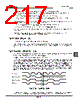
217 / 252 page  Page 203 TMP86CS49FG In the slave mode, the conditions of generating INTSBI interrupt request are follows: • At the end of acknowledge signal when the received slave address matches to the value set by the I2CAR • At the end of acknowledge signal when a “GENERAL CALL” is received • At the end of transferring or receiving after matching of slave address or receiving of “GENERAL CALL” When a serial bus interface interrupt request occurs, the PIN (Bit4 in SBISRB) is cleared to “0”. During the time that the PIN is “0”, the SCL pin is pulled-down to low level. Either writing data to SBIDBR or reading data from the SBIDBR sets the PIN to “1”. The time from the PIN being set to “1” until the SCL pin is released takes tLOW. Although the PIN (Bit4 in SBICRB) can be set to “1” by the softrware, the PIN can not be cleared to “0” by the softrware. Note:When the arbitration lost occurs, if the slave address sent from the other master devices is not match, the INTSBI interrupt request is generated. But the PIN is not cleared. 16.5.9 Setting of I2C bus mode The SBIM (Bit3 and 2 in SBICRB) is used to set I2C bus mode. Set the SBIM to “10” in order to set I2C bus mode. Before setting of I2C bus mode, confirm serial bus inter- face pins in a high level, and then, write “10” to SBIM. And switch a port mode after confirming that a bus is free. 16.5.10Arbitration lost detection monitor Since more than one master device can exist simultaneously on a bus, a bus arbitration procedure is imple- mented in order to guarantee the contents of transferred data. Data on the SDA line is used for bus arbitration of the I2C bus. The following shows an example of a bus arbitration procedure when two master devices exist simulta- neously on a bus. Master 1 and Master 2 output the same data until point “a”. After that, when Master 1 outputs “1” and Master 2 outputs “0”, since the SDA line of a bus is wired AND, the SDA line is pulled-down to the low level by Master 2. When the SCL line of a bus is pulled-up at point “b”, the slave device reads data on the SDA line, that is data in Master 2. Data transmitted from Master 1 becomes invalid. The state in Master 1 is called “arbitration lost”. A master device which loses arbitration releases the SDA pin and the SCL pin in order not to effect data transmitted from other masters with arbitration. When more than one master sends the same data at the first word, arbitration occurs continuously after the second word. Figure 16-7 Arbitration Lost The serial bus interface circuit compares levels of a SDA line of a bus with its SDA pin at the rising edge of the SCL line. If the levels are unmatched, arbitration is lost and the AL (Bit3 in SBISRB) is set to “1”. ab SCL (Bus) SDA pin (Master 1) SDA pin (Master 2) SDA (Bus) SDA pin becomes "1" after losing arbitration. |
|
링크 URL |
| ALLDATASHEET 가 귀하에 도움이 되셨나요? [ DONATE ] |
Alldatasheet는? | 광고문의 | 운영자에게 연락하기 | 개인정보취급방침 | 링크 투 데이터시트 | 링크교환 | 제조사별 검색 All Rights Reserved©Alldatasheet.com |
| Russian : Alldatasheetru.com | Korean : Alldatasheet.co.kr | Spanish : Alldatasheet.es | French : Alldatasheet.fr | Italian : Alldatasheetit.com Portuguese : Alldatasheetpt.com | Polish : Alldatasheet.pl | Vietnamese : Alldatasheet.vn Indian : Alldatasheet.in | Mexican : Alldatasheet.com.mx | British : Alldatasheet.co.uk | New Zealand : Alldatasheet.co.nz |
|
Family Site : ic2ic.com |
icmetro.com |
 Korean ▼
 English
 Chinese
 German
 Japanese
 Russian
 Korean
 Spanish
 French
 Italian
 Portuguese
 Polish
 Vietnamese
 Indian
 Mexican
 British
 New Zealand