|
전자부품 데이터시트 검색엔진 |
|
|
전자부품 데이터시트 검색엔진 |
|
F3SG-R 데이터시트(PDF) 28 Page - Omron Electronics LLC |
|
|
|||||||||||||||||||||||||||||
F3SG-R 데이터시트(HTML) 28 Page - Omron Electronics LLC |
|
|
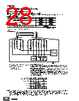
28 / 164 page  F3SG-RA 28 Connections (Basic Wiring Diagram) Standalone F3SG-RA using PNP Outputs Standard Muting Mode/Exit-Only Muting Mode using PNP Outputs The following is the example of External Device Monitoring disabled, Auto Reset mode, PNP output and External Test in 24 V Active. DIP Switch settings *6 : Indicates a switch position. Configure functions with the DIP Switches before wiring. Wiring Example Note: Functional earth connection is unnecessary when you use the F3SG-RA in a general industrial environment where noise control or stable power supply is considered. However, when you use the F3SG-RA in an environment where there may be excessive noise from surroundings or stable power supply may be interfered, it is recommended the F3SG-RA be connected to functional earth. The wiring examples in later examples do not indicate functional earth. To use functional earth, wire an earth cable according to the example above. Refer to Safety Light Curtain F3SG-R Series User's Manual for more information. Function DIP-SW1 DIP-SW2 Receiver EDM Disabled (factory default setting) Auto Reset (factory default setting) PNP (factory default setting) Emitter External Test: 24 V Active (factory default setting) 2ON 2ON 3ON 3ON 4ON 4ON 7ON 7ON 4ON S1: Test Switch (Connect the line to 0 V if this switch is not required) S2: Lockout/Interlock Reset Switch, Override Switch or Override Cancel Switch S2 *2 S1 Power Supply +24 VDC 0 VDC Safety Controller *3 *4 Muting Actuator *5 IN1 IN2 Unblocked Blocked MUTE A MUTE B OSSD Test Switch (S1) Beam state PLC *7 IN F39-JG @A-L F39-JG @A-D Functional Earth *1.Also used as Override input line. *2.Make sure to connect an override cancel switch to the Reset line when using the override function. Otherwise the override state may not be released by the override cancel switch, resulting in serious injury. *3.Refer to page 30 for more information. *4.The safety controller and the F3SG-RA must share the power supply or be connected to the common terminal of the power supply. *5.Refer to Smart Muting Actuator F3W-MA Series User's Manual for more information. *6.The functions are configurable with DIP Switch. Refer to Safety Light Curtain F3SG-R Series User's Manual for more information on setting the functions by the DIP Switch. *7.When connecting to the PLC, the output mode must be changed with the Configuration Tool according to your application. |
|
링크 URL |
| ALLDATASHEET 가 귀하에 도움이 되셨나요? [ DONATE ] |
Alldatasheet는? | 광고문의 | 운영자에게 연락하기 | 개인정보취급방침 | 링크 투 데이터시트 | 링크교환 | 제조사별 검색 All Rights Reserved©Alldatasheet.com |
| Russian : Alldatasheetru.com | Korean : Alldatasheet.co.kr | Spanish : Alldatasheet.es | French : Alldatasheet.fr | Italian : Alldatasheetit.com Portuguese : Alldatasheetpt.com | Polish : Alldatasheet.pl | Vietnamese : Alldatasheet.vn Indian : Alldatasheet.in | Mexican : Alldatasheet.com.mx | British : Alldatasheet.co.uk | New Zealand : Alldatasheet.co.nz |
|
Family Site : ic2ic.com |
icmetro.com |
 Korean ▼
 English
 Chinese
 German
 Japanese
 Russian
 Korean
 Spanish
 French
 Italian
 Portuguese
 Polish
 Vietnamese
 Indian
 Mexican
 British
 New Zealand