|
전자부품 데이터시트 검색엔진 |
|
|
전자부품 데이터시트 검색엔진 |
|
COP8SE 데이터시트(PDF) 21 Page - National Semiconductor (TI) |
|
|
|
|||||||||||||||||||||||||||||
COP8SE 데이터시트(HTML) 21 Page - National Semiconductor (TI) |
|
|
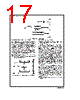
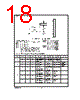
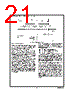
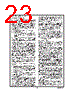
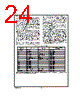
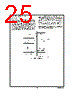
21 / 47 page  7.0 Power Saving Features (Continued) 7.3 MULTI-INPUT WAKEUP The Multi-Input Wakeup feature is used to return (wakeup) the device from either the HALT or IDLE modes. Alternately Multi-Input Wakeup/Interrupt feature may also be used to generate up to 8 edge selectable external interrupts. Figure 17 shows the Multi-Input Wakeup logic. The Multi-Input Wakeup feature utilizes the L Port. The user selects which particular L port bit (or combination of L Port bits) will cause the device to exit the HALT or IDLE modes. The selection is done through the register WKEN. The regis- ter WKEN is an 8-bit read/write register, which contains a control bit for every L port bit. Setting a particular WKEN bit enables a Wakeup from the associated L port pin. The user can select whether the trigger condition on the se- lected L Port pin is going to be either a positive edge (low to high transition) or a negative edge (high to low transition). This selection is made via the register WKEDG, which is an 8-bit control register with a bit assigned to each L Port pin. Setting the control bit will select the trigger condition to be a negative edge on that particular L Port pin. Resetting the bit selects the trigger condition to be a positive edge. Changing an edge select entails several steps in order to avoid a Wakeup condition as a result of the edge change. First, the associated WKEN bit should be reset, followed by the edge select change in WKEDG. Next, the associated WKPND bit should be cleared, followed by the associated WKEN bit be- ing re-enabled. An example may serve to clarify this procedure. Suppose we wish to change the edge select from positive (low going high) to negative (high going low) for L Port bit 5, where bit 5 has previously been enabled for an input interrupt. The program would be as follows: RBIT 5, WKEN ; Disable MIWU SBIT 5, WKEDG ; Change edge polarity RBIT 5, WKPND ; Reset pending flag SBIT 5, WKEN ; Enable MIWU If the L port bits have been used as outputs and then changed to inputs with Multi-Input Wakeup/Interrupt, a safety procedure should also be followed to avoid wakeup condi- tions. After the selected L port bits have been changed from output to input but before the associated WKEN bits are en- abled, the associated edge select bits in WKEDG should be set or reset for the desired edge selects, followed by the as- sociated WKPND bits being cleared. This same procedure should be used following reset, since the L port inputs are left floating as a result of reset. The occurrence of the selected trigger condition for Multi- Input Wakeup is latched into a pending register called WK- PND. The respective bits of the WKPND register will be set on the occurrence of the selected trigger edge on the corre- sponding Port L pin. The user has the responsibility of clear- ing these pending flags. Since WKPND is a pending register for the occurrence of selected wakeup conditions, the device will not enter the HALT mode if any Wakeup bit is both en- abled and pending. Consequently, the user must clear the pending flags before attempting to enter the HALT mode. WKEN and WKEDG are all read/write registers, and are cleared at reset. WKPND register contains random value af- ter reset. DS100973-26 FIGURE 16. Wakeup from IDLE www.national.com 21 |
|
링크 URL |
| ALLDATASHEET 가 귀하에 도움이 되셨나요? [ DONATE ] |
Alldatasheet는? | 광고문의 | 운영자에게 연락하기 | 개인정보취급방침 | 링크 투 데이터시트 | 링크교환 | 제조사별 검색 All Rights Reserved©Alldatasheet.com |
| Russian : Alldatasheetru.com | Korean : Alldatasheet.co.kr | Spanish : Alldatasheet.es | French : Alldatasheet.fr | Italian : Alldatasheetit.com Portuguese : Alldatasheetpt.com | Polish : Alldatasheet.pl | Vietnamese : Alldatasheet.vn Indian : Alldatasheet.in | Mexican : Alldatasheet.com.mx | British : Alldatasheet.co.uk | New Zealand : Alldatasheet.co.nz |
|
Family Site : ic2ic.com |
icmetro.com |
 Korean ▼
 English
 Chinese
 German
 Japanese
 Russian
 Korean
 Spanish
 French
 Italian
 Portuguese
 Polish
 Vietnamese
 Indian
 Mexican
 British
 New Zealand